CBD is in great demand by customers from young adults to the elderly. It is also receiving a lot of attention in the media, by CBD groups, and regulators. UK sales in 2021 amounted to £690 million and this figure is anticipated to rise to close to one billion pounds by 2025. The USA is the leader in CBD sales but is followed by the UK in second place. Nevertheless, there are challenges impacting the market. We look at these and the opportunities for businesses wanting to get in on the action.
Challenges
While CBD is sold in many outlets, the historic legacy of illegal THC has not been totally conquered, even though it does not contain the latter substance. Regulators are not approaching sales and marketing of CBD effectively, stymying competition and improved products in a free market.
The process of applying to the FSA for CBD to be granted novel food status is unwieldly and exorbitant. It costs a CBD farmer between £20 and £30 million to make a test sample, made up of licensing, production, and infrastructure expenditure. This figure is just for an authorisation assessment, and effectively bars many small farmers from entering the CBD market. In a market economy, this results in overpriced products and less diversity. Consequentially, very little farming takes place in the UK and most CBD is imported from Europe, the USA, China, and Switzerland. However, small businesses that want to get in on the action can approach a CBD manufacturer with the capability to handle the whole process for them, including research and development.
Exclusions
Licensing laws prohibit the harvesting of hemp plant tops, from which CBD is extracted. Thus, the smaller hemp farmers are effectively kept out of the market. This prevents innovation and competition in the CBD industry. It is solely the huge corporations who are in a position to fund the costs of an application.
Trace THC
The US has made CBD products legal across the board, but different states have varying amounts of trace THC that can be contained in it. In the UK, it is fixed at under two percent. Products that contain more are illegal.
Opportunities
Although there are numerous challenges, there are also many opportunities for aspiring CBD manufacturers.
Immense Growth of the CBD Market
The demand for this product is increasing rapidly in first-world countries. Europe is looking to bypass the three billion pounds mark in sales. The sales figure for the USA is estimated to be $47 billion in 2028. By contrast, the UK has sold approximately £700 million. This illustrates the huge scope for growth of the CBD market in the UK.
Quality
Consumers of CBD products are well-informed. This has resulted in a great demand for brand transparency and better quality. Custom CBD products are very popular with consumers. A business that can offer unique CBD products will have an edge over other companies.
Blends
The minor cannabinoids – CBN, CBC, and CBG – are trending. So are blends which include mushroom adaptogens and other plants. The latter is taking off and was big in 2022; this trend is likely to continue into 2023 and beyond as these combination products can advertise additional health benefits, such as promoting sleep and lowering stress.
Consumer Spread and Preferences
Consumers come in all ages and with varying health needs that they are getting relief from through ingesting or the topical use of CBD. CBD is being used to manage pain, insomnia, mood disturbances, migraines, female reproductive and menstrual issues, anxiety conditions, and skin care, to name a few uses. One study has shown CBD to work better for insomnia than melatonin without the bleariness side effect. Thus, there is a great demand for CBD products. The preferred purchasing method is via an online option.
Credible CBD Novel Food Applications
Credible CBD Novel Food Applications have been listed by the FSA. This list features 3,500 oral CBD products. This contains a wide range of different CBD products. Although final approval is still pending, these listed items can be sold in the CBD marketplace. Authorisation can take anywhere from a few months to several years.
CBD is here to stay, and over time, the legislative difficulties should decrease to make this a product for the small business to manufacture too.
1and1 or 1&1 Ionos is the new name for a German-based web hosting company that was formerly known as 1&1 Internet. 1and1 Ionos, which is owned by United Internet, a global internet service provider, provides not only web hosting but also webmail, domain registration, dedicated servers, cloud hosting, SSL certificates, and virtual private services.
1&1 Ionos is a web hosting firm that was previously known as 1&1 Internet. United Internet presently owns the domain. It also offers domain registration, SSL certificates, email services, website builder packages, cloud hosting, virtual private servers, and dedicated servers, in addition to web hosting. The company’s headquarters are located in Montabaur, Germany, and Chester brook, Pennsylvania, respectively. It employs 2,000 people in 40 countries and serves eight million consumers through ten data centers and over 90,000 servers. Achim Weiss is the company’s CEO.
BACKGROUND:
In the year 2000, the company renamed itself United Internet and transferred its product division to 1&1 Internet AG. In the same year, 1&1 launched in the United Kingdom, and three years later, it began serving consumers in the United States. Lenexa, Kansas, is home to one of the company’s largest North American data centers, with over 40,000 servers.
1&1 renamed as 1&1 Ionos in 2018 after merging with cloud infrastructure specialists Profit Bricks (established by Achim Weiss). The rebrand included a new name and a slightly revamped website, but the service offered and rates remained unchanged at first. The next year, however, 1&1 Ionos added some new services, including a personal consultant service for customers. As of September 2019, 1&1 Ionos was ranked second in a ranking of global Web hosting just like Go Daddy hosting providers by market share.
Eco-friendly initiatives:
In the UK and Germany, 1&1 Ionos implements sustainable solutions to cut carbon emissions, such as using 100 percent renewable energy in data centers and administrative buildings. Green certificates or local renewable sources are used to offset the carbon in other parts of the world.
IONOS by 1&1 provides a diverse range of services, including domain names, hosting, and website builder packages. IONOS by 1&1 is one of the earliest web hosting providers, having been established in 1988. They’re also one of the more aggressive advertisers, running full-page advertising in periodicals and airing commercials on television.
Server failures:
Customers in the United Kingdom reported lengthy server disruptions in April 2019 owing to a failing uninterruptible power supply (UPS), which caused Web sites to go down. Due to malfunctioning support tools, call center workers were also unable to respond to client questions. “For when such circumstances occur, we have UPS systems and emergency power generators that ensure power supply is uninterrupted during an emergency,” 1&1 email login Ionos eventually fixed and resolved the problem.
One of the five UPS systems in the impacted data center failed, causing numerous servers to lose power and have to be restarted. Because file systems had to be repaired following the power outage, certain servers were unavailable for a while. We are still investigating the source of the afflicted UPS system’s error, but all UPS systems are now operational.
How to Set Up a 1and1 Email Account:
1and1 offers two email options to its users, starting at $1 per month: basic mail and business mail. Even if you don’t have hosting, 1and1 allows you to set up a webmail account. With 1and1 webmail, you may create a similar email address for your domain. When a customer sees an email that hasn’t been opened in their inbox, they are significantly more likely to respond.
1. Go to 1and1 email’s official website and select the ‘Email and Office’ option.
2. A drop-down menu will appear; select ‘Professional Email Address’ from the list.
3. To continue, select the ‘See Packages’ option.
4. You must now select one of the three packages available, two of which are Basic packages and one of which is a Business plan. For the one that best meets your needs, click ‘Continue.’
5.Select the domain you require; each package includes one domain; all you need to do now is make sure the one you want is available. Fill in the blank with the domain name and hit the ‘Check’ button.
6. Click ‘Add to Cart’ once you’ve double-checked that the domain you want is available.
7. After you’ve entered all of the essential information and made the payment, your email address will be generated.
8. Type the password for your 1and1 email account as well as the email address you want to create.
9. If you do not intend to use 1and1 email as your primary email account, you can utilize the automatic forward option to transfer emails from 1and1 to your primary email address.
10. Don’t forget to enable security settings, which include Anti-spam and Premium virus protection options.
11. Finally, click ‘Save,’ and your 1and1 webmail account will be created, and you may begin the login process.
How to Login to 1and1 Email in 3 Easy Steps
To complete the 1 and 1 email login process, simply follow the steps one by one:
1. Open any web browser and proceed to the 1&1 email login service’s official sign-in page.
2. Enter your 1and1 Customer ID, email address, or domain, and then fill in your password, then click ‘Sign in.’
3. Once you’ve signed in, select Webmail and you’re ready to go.
Alternatively,
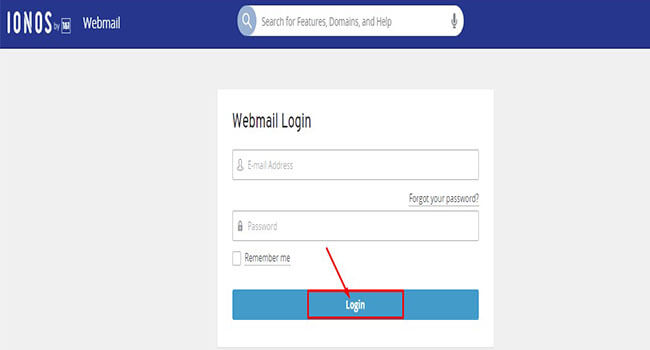
1. Simply go to login and sign in using your webmail credentials.
2. If you wish to stay signed in, check the box for ‘Remember Me,’ and then click the ‘login’ option.
There are a many further way to take.
Also, on 1and1, fill in the required information to establish a dispatch.
Type your dispatch addresses name in the line. This should be placed before the @ symbol.
Also, enter the word you want to use and make sure it’s listed in the Evidence field.
You can now use webmail 1 and 1 to automatically forward emails to devoted addresses.
You can change the settings related to security in the” Settings” menu. The most common option is Anti-Spam, but Premium Virus Protection is a volition.
After entering your contact information to pierce your company dispatch address, click the “Save” button to produce a 1nd1 webmail account.
A stoner interface where everyone can pierce dispatch at any time, anyhow of where they’re or what device they want to use.
How do I get my 1and1 Webmail account word reset?
Because everyone has recently used one or further dispatch accounts, they’re likely to forget their word. Follow this procedure:
Using any web cyber surfer, visit the sanctioned ionos runner.
The Subscribe in option is located at the upper right corner. It’s a simple click.
Fill in the needed sphere name or web address.
Click’ Request for new word ‘to get a new word for your 1 & 1email login webmail account.
On your secondary webmail account, you’ll admit a reset link.
Elect a 12- character word that includes uppercase, lowercase, integers, and special characters.
You are done. Retype it for evidence.
Your 1 & 1 webmail account word has now been streamlined
Set up important emails 1and1 Along with the login way, it’s important to know the correct settings for dispatch accounts 1 and 1. POP and SMTP account settings are needed.
Security Tips for 1and1email Accounts:
To keep your 1 and 1 dispatch accounts secure and avoid situations like account hacking or hacking, you should trust the ideas and tricks listed below so you do not have to reset your word.
1. Avoid short watchwords. We plan to use further than 12 characters to make it more complex and secure. This can make watchwords delicate for hackers to crack.
2. When setting a new word for your account, using a blend of uppercase and lowercase letters, figures and symbols can increase the significance of your word.
3. Don’t use particular information similar as name, company name, date of birth, or phone number in the word. Because it’s easy for someone who knows you to hack your word.
4. No way give out your word to anyone. You should, but you should let us know and change it as soon as possible.
5. Don’t keep the same word for all social media accounts. In case you’re having trouble remembering all your watchwords, you can use a word director for this question, and also keep an eye on your security your word.
6. Change your word from time to time to avoid account hacking and keep doing good.
Minimal conditions
The minimal demand to produce an account may be a working dispatch address, and you’ll need a introductory knowledge of how webmail workshop so that you can collude your name to your company’s hosting service that can give internet access to your point has live. You can choose his or her free plan or buy one of the decoration plans that complement the stylish features to suit your requirements and budget conditions. The paid packages are for small businesses looking for advanced features like pall storehouse, collaboration tools, and more, but the apps you see on the free account are enough much limited in compass.
A) Mailbox settings
This includes options related to transferring/ entering dispatches, pollutants, language settings, and more.
B) Payload
This can be used to further the inboxes of your 1 and 1 webmail accounts to another dispatch address you enjoy so that your dispatches will not be missed or left unlettered if they’re transferred directly to your spam brochure in Gmail. or yahoo correspondence, etc.
C) Brochure operation
Druggies will have the capability to produce specific custom flyers in the sidebar, which can be useful for grading different communication types into separate parts that support precedence and urgency.
D) Anti-spam
Druggies can also choose whether they need to enable anti-spam features, similar as entering a captcha law, before entering new dispatches in both the Inbox and Trash flyers.
E) Custom sphere name
Webmail services 1 and 1 also allow druggies to produce their own sub disciplines for free, which can be used if you want to change your dispatch address, as your ISP’s IP address may be different from the one assigned by your ISP.
F) Mobile operation
The iTunes App Store and Google Play Store have several options for iOS (iPhone/ iPad) and Android bias. Mobile apps should have a simple interface so that anyone can pierce their dispatch anytime, no matter where they’re or what device they’re using. 1, 1 Correspondence to connect other correspondence services. To link an being dispatch account similar as Gmail, Yahoo,etc., you’ll need to enter all three types of credentials in the corresponding fields Incoming Correspondence Garcon Settings, Gregarious Correspondence Garcon Settings, and IMAP Garcon Port Number. After completing the way over, click the Save Changes button a lot so you do not waste a lot of clicks”> When you log in with your username, we save a lot of new account information in 1 and 1 of the webmail service panel. The word you just created during the enrollment process. No see.
Benefits of using 1and1 Webmail
1and1 webmail can also be a free dispatch service with your own sphere. It’s perfect for particular use and small businesses looking to establish an online presence through e -commerce store or a variety of product immolations. Webmail 1 and 1 can also be a free dispatch service, so you produce a huge number of accounts. 1 & 1 IONOS is a secure hosting service. It boasts a 99.8 percent uptime, and its hosting packages include diurnal point backups, anti-spam protection, and a slew of other essential features. Still, some of its services are more important than others. A person must try this kind of email services to ensure their account and email to be secure in a better and in a co-ordinate manner. So that there will be less chances to hack your by anyone. And moreover it is providing services o top priorities that no one is providing such a great services.
Disney+ is a new streaming service offering ad-free programming with a variety of original feature-length films, documentaries, live-action and animated series, and short-form content, along with unprecedented access to an incredible library of film and television entertainment from Disney, Pixar, Marvel, Star Wars, National Geographic, and more.
Disney Plus is an American streaming service founded on November 12, 2019. It is an OTT video platform for shows, movies, series and lots more. Disney Plus is a paid platform where users have to pay subscription charges to watch movies and shows. However, if users choose the annual plan, they can save £15.98. Many fans are asking about how to login to Disney Plus on Smart TV, and to get these answers, read furthermore.
What Devices and Platforms are Supported on Disney+com?
Disney+ supports playback on mobile devices, desktop browsers, game consoles, set-top boxes, and smart TVs.
You can enjoy Disney+ on the following devices:
Desktop Web Browsers (via streaming)
Mobile Devices and Tablets (via free downloaded app)
Smart TVs (pre-installed or via free downloaded app)
Set-top Boxes and Game Consoles (via free downloaded app)
Other Streaming Devices (via free downloaded app)
How much content is available on Disney+?
In the first year, Disney+ will have more than 6,500 television episodes and over 600 film titles which will include the most recent theatrical film releases such as Avengers: Endgame and Captain Marvel both available at launch and The Lion King premiering in 2020.
Disney+ has a number of original exclusive series, movies and documentaries, and plans to premiere a number of originals within the first year.
How do I log into my Disney Plus account?
Web Browser
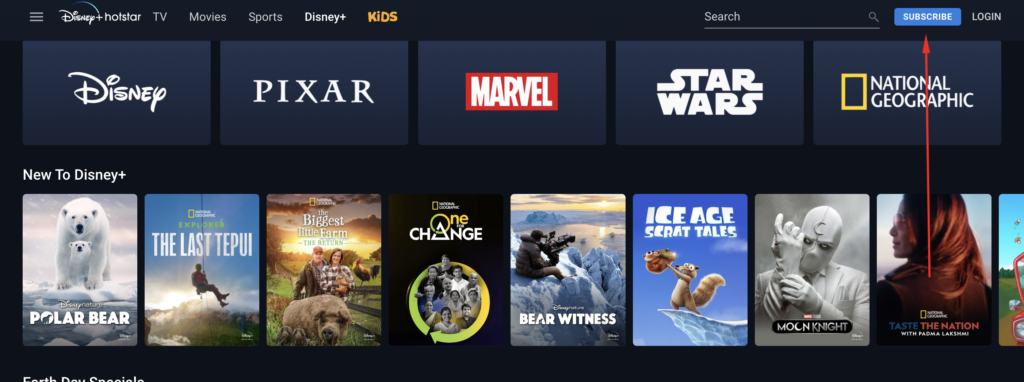
In your web browser, go to www.disneyplus.com.
Select LOG IN (It’s in the upper right-hand corner.)
Enter your email address.
Enter your password.
If you’ve forgotten your password, please follow these steps to reset your password.
Select LOG IN.
How do I redeem my code?
After having received your code, go to DisneyLife.com/Redeem.
Enter your code – no spaces or hyphens – then click the Redeem Now button.
Select the option to sign in with your email address, and follow the steps on screen to sign in to your existing Disney account, or register for a new one.
How do I check my Disney+ subscription?
To check your account status, please go to https://disneylife.com/account. In the Overview section, you’ll find the message “Your Membership is Active”. Your log-in details will allow you to sign in for as long as you subscribe, and until the last day of your billing period after you cancel.
How do I restore my Disney Plus account?
For that, try to go to Disney Plus website and select forgot password with your Apple ID email. This allowed you to set the Disney plus password. Then click the “Restore Purchase” option to get back your subscription
How do I log into Disney plus TV with code?
Open the DisneyLife app on your TV device and select Log In. Select Log In with Your Email. A code will then be displayed on the TV along with the activation instructions and a timer showing how long you have before the code times out.
How do I get my Disney plus on my TV?
You can use Chromecast or Apple Airplay to wirelessly stream Disney+ content from your Android or iOS mobile device to your TV.
Why Choose Disney Plus?
Disney Plus has a variety of entertaining programs for kids and adults. Be it a movie, series, or cartoon, you can count on Disney Plus.
Subscribers enjoy ‘n’ number of benefits with Disney Plus, such as hot start and the latest movie release, recorded sports matches, live sports matches of football, volleyball, or cricket.
You can also access ‘Hotstar’ if you have a Disney Plus subscription.
It is a great platform to overcome your boredom with fun and learning videos.
Parents can access various educational videos to teach their kids with fun and excitement.
Buying the premium membership for Disney Plus also enables its Original Entertainment Content to the users.
Do you want to learn how to login to Disney plus on TV such as Samsung smart TV, Apple TV, Amazon Fire TV, Roku streaming device and Firestick at home? you are reading the right article. If you are subscribed to Disney Plus you will be able to watch Disney Plus on smart TV with the same subscription.
There are series of ways to watch Disney Plus on your TV at home. You can watch Disney Plus on phone and mirror or cast your phone screen to your TV.
While the steps to watch Disney Plus on TV depends on the TV manufacturers and your TV settings and configuration. To watch Disney Plus TV on TV you must have an active subscription with the Disney service but it’s not compulsory to have an active TV provider’s subscription.
How to Watch Disney Plus on TV with TV Provider’s Network
You do not need to have a TV provider’s network account before you can use the Disney Plus app on your TV at home or work. All you need is to create a Disney Plus account and start a free trial to test-run the Disney Plus app on your home TV.
So, we will consider in detail how to login Disney Plus on smart TV of all kinds in this article based on our experience.
How to Login to Disney Plus on TV with Phone
Here is how to login to Disney Plus on TV with phone. Note that both your phone and TV must support mirroring otherwise you’d need to download and install the mirroring app to your phone as well as your TV to be able to login to Disney Plus on TV with phone. Or better still both your phone and your TV must be connected to the same WiFi.
The process to follow to watch Disney Plus on your Smart TV with your phone is discussed below.
Launch the Disney Plus app on your phone.
Login to your Disney Plus account with your username and password.
Press your smart TV home button, navigate to source and select remove access.
Select “Screen Sharing (wireless)” under “featured functions.” This works on a Samsung Smart TV
Open your Mirror app or casting app. and search for the name of your TV.
Tap on the connect button to start mirroring your phone screen to your TV.
This method is different from the previous approach. With this, you need to have the Disneyplus.com/login code. That is, the Disney Plus code from the Disney Plus app from the smart TV to login Disney Plus on TV with phone with.
Download and install the Disney Plus TV app on your Smart TV.
Launch the Disney Plus app
Take note of the code and https://disneyplus.com/login URL.
Open a browser on your phone and visit Disneyplus.com/login or disneyplus.com/start.
Enter the Disneyplus code on your TV screen and hit the “Continue” button.
Log in to your Disney Plus accounts with your username and password.
Done.
Instantly, the Disneyplus.com/login enter code screen will be refreshed automatically on your smart TV and you will be signed in to your Disney Plus account with your phone.
How to Login to Disney Plus on TV
This method covers all the steps to take to log in to Disney Plus on smart TV including the Verizon smart TV and watch your favorite TV shows, movies, series, and episodes, on Disney Plus on TV at home.
Launch the Disney Plus TV on your smart TV
Select the “Login” tab once the app opens.
An instruction to follow to sign in to your Disney Plus account will pop up. This may include a URL disneyplus.com login/begin or something similar and a 4 or 8-digit code to use to login your Disney Plus on your phone browser or computer browser.
Now, go to the activation website, disneyplus.com/begin and enter the 8 or 4 digit code on your TV screen depending on the character on your TV screen and click on the “Continue” button.
Enter your Disney Plus username (email) and password and follow the instruction on the screen to login to your Disney Plus on your TV.
This is the step to follow on how to login to Disney Plus on TV. The steps above work perfectly for Samsung smart TV, LG, Apple TV, and Amazon Fire TV.
How to Login Disney Plus on Smart TV (Roku)
You probably don’t want to miss this how-to disneyplus.com/login on smart TV and other streaming devices like Roku. There is no need to mirror the Disney Plus app with your phone to your Roku in this scenario. All you need to do is to follow the steps below.
Press the Roku “Home” button on the remote.
Navigate to the “Channel Store” and select the “Streaming Channel.”
Search for “Disney” in the search box.
Once the “Disney +” app populates from the search result, just select it.
Wait for the app to be downloaded and installed on your Roku.
Launch the “Disney Plus” on your Roku and sign in with your username and password otherwise create a new Disney Plus account and start your Disney + free trial.
How to Use DisneyPlus.com/Begin?
If you see a message on your screen telling you to go to DisneyPlus.com/Begin, all you need to do is the following steps:
Go to DisneyPlus.com/begin.
Enter the 8-digit code you see on your TV.
Click the Continue button.
Head back to your preferred device and enjoy Disney+!
How To Watch Disney Plus on Apple TV?
If you have a subscription to Disney+ and you also own an Apple TV, there are just a few steps that you need to follow in order to get up and running. With these steps, you’ll learn how to get Disney Plus on your Apple TV in no time at all.
Step 1: Download the Disney Plus app from the Apple TV App Store.
Step 2: Sign in to the Disney Plus app on your Apple TV home screen. (Note: After you download the app, it might show up at the bottom of your home screen. The home screen is the one that has all your other applications, like Netflix, Hulu, or HBO.
Step 3: If you’ve created your profiles already, you can simply select your profile from the onscreen options. My wife and I have Donald Duck and Daisy Duck as ours. We have a Guest account with Goofy as the icon. You can choose from dozens of classic Disney favorites, from Mickey and Friends characters to Star Wars and much more.
Step 4: Select the genre of show you want to watch. Select the movie or TV show. And enjoy!
That’s all there is to it. If you followed these 4 steps, you now know how to get Disney+ on your Apple TV.
Why can’t I screen mirror Disney+?
To be able to screen mirror Disney Plus wirelessly, your TV needs to support a Wi-Fi connection. The first basic solution when this doesn’t work is to simply toggle the Wi-Fi on and then off for your devices. Check for any new updates.
Can I Screen Share Disney Plus?
Go to the Disney Plus website and find the movie that you want to stream. Go back to Zoom and click on the “Share Screen” option on the bottom menu. Choose the window where you opened Disney Plus. Check the “Share computer sound” box in the bottom-left corner of your screen.
Why can’t I project Disney Plus?
The problem with not being able to play Disney Plus content on a projector is because, your port or cable is not HDCP certified. … These are technical, called “handshakes” and your projector is failing to pass this handshake.
What is Disney Plus error code 83?
Upgrade your device firmware or OS. … For instructions, check out How to Update iOS on the iPhone, How to Update Your Android OS, and How to Update a Samsung Smart TV. Try a Different Account. The explanation of Error Code 83 from Disney is that it can be caused by account problems.
How To Get DisneyPlus.com/Begin On Smart TV (Samsung TV)?
Here are some simple steps to get Disney Plus on your Smart TV.
First, download Disney Plus through the in-built app screen.
Sign up to Disney Plus.
Make sure that your TV is connected to the internet.
At the home screen, select the ‘apps’ icon (by scrolling to the left side)
In the search box, enter “Disney+.”
Select the Disney Plus icon and “add to home”. This will install and download the app.
Open the app and log in.
How To disneyplus.com/login On Smart TV (Sony TV, Philips TV)?
Watch all the latest shows and movies by downloading Disney Plus on your Smart TV. Follow these simple steps and get the app on Sony and Philips Smart TV.
Sign up to Disney Plus
Make sure your TV is connected to the internet.
Open Google Play Store or Sony Select (for Sony Smart TV)
Type in “Disney+” using your remote In the search box.
Select the Disney Plus app and press “Install.”
Once installed, open the app on the home screen.
Log in using your credentials.
How To disneyplus.com/loginOn TV – FAQs
How to login to Disney Plus app on TV?
Open the Disney+ app on your Smart TV.
Select Log in.
Directions to sign up will appear on the screen.
Enter the URL into your browser on your computer or mobile device.
Enter the 8-digit code you see on your TV screen.
Enter your email address.
Enter your password.
You can now log in to Disney Plus on your TV.
How to get Disney Plus on Samsung Smart TV?
First, download Disney Plus through the in-built app screen.
Sign up for Disney Plus.
Make sure that your TV is connected to the internet.
At the home screen, select the ‘apps’ icon (by scrolling to the left side)
In the search box, enter “Disney+.”
Select the Disney Plus icon and “add to home”. This will install and download the app.
Open the app and log in.
How to get DisneyPlus.com/Begin on Sony Smart TV?
Sign up to Disney Plus
Make sure your TV is connected to the internet.
Open Google Play Store or Sony Select (for Sony Smart TV)
Type in “Disney+” using your remote In the search box.
Select the Disney Plus app and press “Install.”
Once installed, open the app on the home screen.
Log in using your credentials.
How to get DisneyPlus.com/Beginon Philips Smart TV?
Sign up for Disney Plus
Make sure your TV is connected to the internet.
Open Google Play Store or Sony Select (for Sony Smart TV)
Type in “Disney+” using your remote In the search box.
Whenever we talk about legacy games, one of the top games that never skips out of mind is Roblox. If you are a gaming enthusiast who never ignores playing unique and legacy games like Roblox, then this blog is specially made for you. We have witnessed multiple people talking about Roblox but have no idea where to access this fantastic game. People generally face questions like, “Where can I play Now.gg Roblox” “Which one is more suitable for playing Roblox, Pc or mobile phone” “What are the benefits of playing Now.gg Roblox” “What actually is now.gg?” “Is there any storage issue rendered by the Roblox game?”
Are you even facing all of such significant questions and couldn’t reach a robust answer? If this is the case, then you are in the right spot. First of all, let’s start from the core. If you are a newbie to the gaming world, possibly you are pondering what is now.gg and Roblox. Let’s dig a little deeper into the history of the game Roblox.
Everything About Roblox!
To your astonishment, do you know that half of the US population who are younger than 16 years of age play Roblox?
In fact, after the pandemic, not just in the US but kids/teenagers/youngsters of multiple countries have shown their optimistic and favorable views towards this legacy game.
To make you understand in the most simple language, Roblox is an online platform where numerous users can play the game. To be more elaborate, Roblox is not a game, but it is a place, or I can say it is a platform where numerous games are available for users to play. Furthermore, you can not only play some trendy games but also create your own game. Yes, you heard it right! Because all the games are made by their users, Roblox has gained fame and success so quickly in the gaming industry. Recent statistics revealed that nearly 20 million games have been published on the platform. It is also an excellent opportunity for all the developers interested in creating their own legacy games!
Literally, anyone, even kids with their skills, can make money nearly 1 million dollars in just a year. Despite Roblox and all its games being free to play, certain aesthetic items in Roblox games can be purchased with Robux, a virtual currency. To convert Robux into real money, developers can use a program called the Developer Exchange (also known as DevEx).
What Exactly is Now.gg?
Many people still complicate themselves between Roblox and now.gg. Frankly, the difference between both of them is subtle. As I mentioned earlier, Roblox is not a game but a platform where you are able to play different unusual and distinctive games. Now.gg is primarily a platform that helps you access those wonderful games. To give you more clearance, Roblox, Minecraft, Fortnite, etc. can be accessed using now.gg easily and with more convenience.
You might be thinking, why should I go for Now.gg Roblox? To be accurate, there are many advantages of now.gg, but usually the main reason students/teenagers use now.gg to play games from school-authorized devices such as laptops, iPad, computers, etc. Various schools and colleges block specific installations to keep their students away from distractions. However, such a block setting can make it tricky for students to play games, and hence during such times, playing games through Now.gg can preclude any student from getting caught by a professor or teacher!
The next question that might have stuck in your mind would be how I can install Now.gg Roblox. Frankly, it is a straightforward process, and boom, you can enjoy one of the most outlandish games!
Now.gg Roblox Login – How to Play Roblox Unblocked?
Following are the steps that will help you play Roblox now.gg.
First of all, you can select a browser of your choice. Multiple browsers are available, like Chrome, Opera, Firefox, etc. I personally prefer Chrome.
Once you open the browser (let us assume it to be Chrome), you have to open a new account on now.gg
Its time for you to visit the official page on now.gg
Once you reach the official page, the next thing you have to do is click on “play in the browser”.
Automatically after a few seconds, you will see the option “Launch game.”
After you click on the “Launch Game” button, Roblox Login Page will Emerge.
You must enter all the Roblox Account Credentials on the Roblox login page.
Once you fill out all the details, you will be able to access each and every game of your choice.
What are the major perks of playing Roblox now.gg?
If you are a Roblox fanatic, I would indeed suggest you play on the cloud. However, the benefits are much more significant. Sometimes, it is conceivable that playing Roblox on the cloud can be tough, maybe due to the journey, school, or other reasons, but when alternatives are available, always prefer to play on the cloud. Following are the reasons why you should consider playing Roblox on the cloud as your first choice.
Visual Experiences
Suppose you have ever played Now.gg Roblox, certainly you would have noticed the difference in visual appearances. As a user, when you choose to play on the cloud, you have the opportunity to enhance the visual of the game. This will not only allow you to enthral the game fully but, at the same time, relish the most satisfactory visual experience.
Cloud service perks
As a gamer, we all know how important it is to save space while playing legacy games. The more intricate the game is, the more complex storage issues users have to face. Roblox games eat up a lot of space on the hard drive in computers, and sometimes they can leave our devices slow and retain viruses. But do not worry as we have a pretty good solution to it. The cloud service at now.gg can save you from this issue.
Through CloudOS, users can access streaming services and run games based on a distributed Android architecture. Now.gg has been specially created to solve space problems. By using edge computing processes, users can now relish a lag-free and space-free experience, no matter in which part of the world they play the games.
No restrictions to devices
Traveling with laptops can be a headache when you are on a long journey. During those times, a mobile phone could be a savior for playing some fantastic games. Whether you want to play Roblox using a computer, laptop, or maybe a mobile phone, now.gg has the same level of graphic quality. However, your mobile storage space, the lifespan of your mobile phone, and other factors are also considered, but in general, now.gg is the best way to play Roblox games.
Earlier, it was difficult to play games on a mobile phone due to keyboard issues. But now.gg has decoded the case and allows a wide range of controls and multiple game access that was once unavailable for mobile users. With this update, mobile gamers can now play the game at maximum fidelity without overheating their devices.
All you have to do is click on the Roblox link. Users can play on their own devices before joining now.gg because Roblox already has cross-platform capabilities and separate user authentication.
Manage your storage space
You can utilize the browser page on the Xbox console to surf now.gg, which works on all gadgets. To continue enjoying Roblox, users won’t need to download and install a game. This is only applicable to games that aren’t already stored on the cloud. As a result, players won’t feel as though they are compromising quality in order to save space, unlike on mobile devices and emulators.
Lag-free experience
How many of you have ever installed Roblox and played games? If you are one of those, I’m pretty sure you would have felt the headache of lagging issues. Many users have also complained that once you install the game, not only does the gaming experience get slow but when you use other tools like Excel, Microsoft, etc., computers are overly lagging and slow!
All thanks to now.gg, as this concern has been solved by it. It’s time to stop using old approaches to enjoy the games and play Now.gg Roblox.
Once you start playing Now.gg Roblox, undeniably, there is no coming back. Not a single problem of lag will be faced by you, and you will have tremendous experience playing all Roblox games.
Which games can I play online for free?
If you are wondering about which online games you can play without installing and downloading them, then get started playing games on now.gg.
Now.gg is a platform that will give access to numerous games online. All you have to do is pick the game of your choice and start playing without the headache of installing it. You can access now.gg on all devices, whether it is a computer or mobile web browser.
It is possible to cause any harm to devices while using Now.gg Roblox?
Absolutely no harm will be caused to your devices while playing Now.gg Roblox. It is entirely safe with a proven track record and multiple positive responses from users around the world.
Can Roblox application lead to phone heat-up?
Yes, if you have an old mobile phone with less storage capacity, it is possible that your phone will get heated up. Not just mobile phones but sometimes even laptops face the same issue. In such times it is advisable to take a break and give rest to your gadget. If you are willing to play such games for 4-5 hours non-stop, then be ready to face heat-up issues with old devices.
What are the tips for using now.gg Roblox safely?
If you are using now.gg Roblox, there are no such threats, and you are completely safe. But here are a few tips for playing android games without any hazards:
Create a new Roblox account
When you visit th Roblox page, it is preferable to use a new ID. Unless you think that this might cause a problem, the new save won’t affect your old one. You can continue enjoying your in-game currency, graphics, accomplish top-ups, and much more; hence at least your ID will be safe.
Get rid of Malware, Spyware, and Ransomware On Roblox.
Indubitably, both now.gg and Roblox are entirely safe. We all know that this platform will not cause any harm to you, but other users can; hence it is always advisable not to give any of your account details to other users, even if he or she is your closest friends/ relative. Roblox and now.gg will protect your device from any harmful content, but any credentials can still harm your computer, and important data can be leaked.
At the same time, always remember not to accept or permit any unchecked files or documents. Your click on the “Agree” button can cause you a lot more. So before clicking on any “agree” button, be accurate enough to read each and every line and then accept any file or changes. It’s better sensible to check the app description on now.gg before launching them.
Have a proper internet connection
People generally neglect this point but always play such legacy games with a good internet connection. It is equally important to have a lag-free experience while playing. You must ensure that you have high-speed cellular data or an internet connection, or else be prepared to face high latency.
Be patient enough to complete the loading process.
Many users do not have the patience to wait for the completion of loading. I have glimpsed many users clicking here and there on the screen as they thought it could load the game faster. It is actually the worst thing you can do. Conceivably, if you are one of those, then let me clear you that clicking here and there on the screen can double the time for loading.
When you are willing to play such games, it is essential to wait patiently. The time for loading totally depends upon your internet connection as well as your internal storage space. Without a doubt, you can play Roblox games on any device using now.gg, but the disclaimer here is the time taken depends upon the device you are using.
Fix any error of now.gg Roblox
What are the chances Now.gg Roblox becoming a compulsion?
If you are a game aficionado, I’m pretty sure you would have found ways to play such legacy games without disruptions. Undeniably, now.gg Roblox is a popular platform that gives access to some of the top android games, and it can be addictive sometimes. The answer to this question can be both affirmative as well as harmful. Some students like to play games in their free time, or maybe they are stressed due to homework and want some relaxation. During such times, these games play a role in boosting the mind. Simultaneously, we have also caught students getting addicted to such games.
It is not uncommon for them to neglect the work they have to do and spend hours only playing games. Now here, this plays an inimical role. It depends upon the individual how they consider and utilize such games.
Final words!
I hope this guide has helped you understand every little detail about now.gg Roblox. Roblox is one of the most popular gaming platforms today, so if you are not familiar with it, you are missing out on a lot of intricate stuff. The best part about such legacy games is you don’t have to install and download them. You are one click away when you wish to relish these gift games.
To cut a long story short, I have tried my best to give you all the essential information. If you have more questions, you can comment below, and we would love to answer them. It’s time for you to have endless fun.
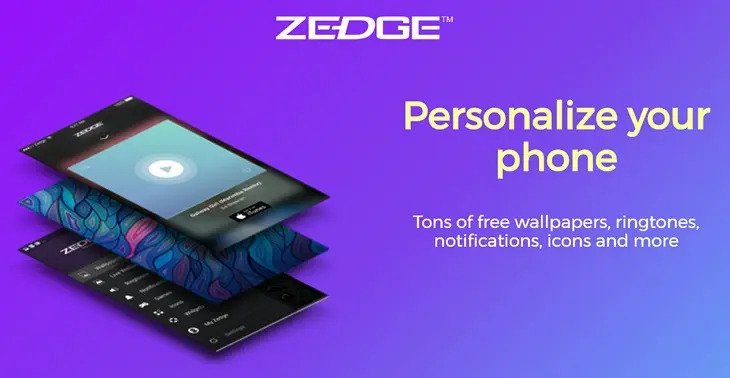
Zedge is a portable application. In this application, you can see a ton of backdrops, Live backdrops, Ringtones, and recordings.
Also, you can find in this application number of stickers. With these stickers, you can make your backdrops in this application.
This application has 430+ million downloads and 30+ million dynamic clients of this application. This application gives you full HD and 4k backdrop and recordings.
The interface is basic and cool. You will live out of sight on the home screen. What’s more, a few classifications and a pursuit bar to discover wonderful backdrop, ringtones, and recordings for your cell phone.
This application is allowed to download But accompanies an in-application buy. Be that as it may, on the off chance that you would prefer not to pay cash, at that point you need to watch promotions for Credits.
With the credits, you can get exceptional backdrops for nothing. If you would prefer not to watch promotions, at that point you can get their top-notch plan from the in-application buy.
Zedge isn’t the solitary application. They have their authority site Zedge.net. All backdrops, Ringtones, and recordings you can discover on their site.
Why Zedge Remove From the App Store(Apple store)?
As we realize that this a backdrops and recordings application. Thus, they utilize their apple logo in certain backdrops or stickers.
Apple didn’t endure any copyright issues. Thus, along these lines, they eliminated their application from the apple store.
Also, loads of individuals grumble that the “Zedge application isn’t Safe”. This may be the purpose behind eliminating it from the apple store.
Since Apple attempts to give the best insight to its clients. That is the reason they attempt to give their best to their clients.
Is Zedge Available In The Play Store?
Indeed, you can see the Zedge application in the play store. You can download this on your cell phone.
However, When I download this application on my telephone and attempt to open it on my telephone. At that point, this shows me the given notice in the image.
If you face this issue or not, at that point please leave a remark in the remark area.
Is Zedge Safe To Use On Phone?
Presently we should go to the main inquiry. That is Zedge protected to use on the cell phone. At that point, it is confounded to tell that.
Yet, I will give some significant data that will assist you with concluding that it is protected or perilous to use on your cell phone.
Above all else, This application was taken out from the play store But now it is back on the play store. Thus, presently it follows the rules of google security.
On the opposite side of the coin, bunches of individuals gripe that Zedge is hurtful to us. Since it has malware in this application. That can take our information.
Moreover, this application has a superior part for its clients. Along these lines, on the off chance that you need this top-notch, at that point, you need to pay on the web.
As I stated, individuals are stating that it has malware in this application. Thus, it can take your Visa number and secret phrase. Just as, your other individual data.
However, if you need this application. At that point, you can utilize this application on your cell phone. However, don’t share your data in this application.
If It Is Not Safe, Then What Is The Solution?
As I state that, This organization didn’t just have an application, they additionally had an authority Zedge site. Thus, on the off chance that you need Zedge backdrops, ringtones, or recordings.
At that point, you can visit their authority site and download anything you desire to download. You will see all the free backdrops on their site.
Also, you can download backdrops in full HD just as in 4K. In any case, you didn’t discover premium backdrops.
On the off chance that you need premium backdrops, at that point, you need to download their authority application and purchase the superior pack or watch advertisements to get free credits.